<style id="elementor-post-1674">.elementor-1674 .elementor-element.elementor-element-2d352b6{--display:flex;--flex-direction:column;--container-widget-width:100%;--container-widget-height:initial;--container-widget-flex-grow:0;--container-widget-align-self:initial;--flex-wrap-mobile:wrap;}.elementor-widget-theme-page-title .elementor-heading-title{font-size:var( --e-global-typography-primary-font-size );font-weight:var( --e-global-typography-primary-font-weight );color:var( --e-global-color-primary );}.elementor-1674 .elementor-element.elementor-element-ec27a89{--spacer-size:50px;}.elementor-1674 .elementor-element.elementor-element-554703f.elementor-element{--align-self:center;}.elementor-1674 .elementor-element.elementor-element-554703f{text-align:center;}.elementor-widget-heading .elementor-heading-title{font-size:var( --e-global-typography-primary-font-size );font-weight:var( --e-global-typography-primary-font-weight );color:var( --e-global-color-primary );}.elementor-1674 .elementor-element.elementor-element-1655bb7{text-align:center;}.elementor-widget-text-editor{font-size:var( --e-global-typography-text-font-size );font-weight:var( --e-global-typography-text-font-weight );color:var( --e-global-color-text );}.elementor-widget-text-editor.elementor-drop-cap-view-stacked .elementor-drop-cap{background-color:var( --e-global-color-primary );}.elementor-widget-text-editor.elementor-drop-cap-view-framed .elementor-drop-cap, .elementor-widget-text-editor.elementor-drop-cap-view-default .elementor-drop-cap{color:var( --e-global-color-primary );border-color:var( --e-global-color-primary );}.elementor-widget-image .widget-image-caption{color:var( --e-global-color-text );font-size:var( --e-global-typography-text-font-size );font-weight:var( --e-global-typography-text-font-weight );}:root{--page-title-display:none;}@media(max-width:1024px){.elementor-widget-theme-page-title .elementor-heading-title{font-size:var( --e-global-typography-primary-font-size );}.elementor-widget-heading .elementor-heading-title{font-size:var( --e-global-typography-primary-font-size );}.elementor-widget-text-editor{font-size:var( --e-global-typography-text-font-size );}.elementor-widget-image .widget-image-caption{font-size:var( --e-global-typography-text-font-size );}}@media(max-width:767px){.elementor-widget-theme-page-title .elementor-heading-title{font-size:var( --e-global-typography-primary-font-size );}.elementor-widget-heading .elementor-heading-title{font-size:var( --e-global-typography-primary-font-size );}.elementor-widget-text-editor{font-size:var( --e-global-typography-text-font-size );}.elementor-widget-image .widget-image-caption{font-size:var( --e-global-typography-text-font-size );}}</style># ALIENTECH Kess3 Ksuite Download, Install, Register and Activate

- Link: https://remap-uk.com/alientech-kess-v3-software-register-activate-download-and-installation/
- Published: 2025-02-08T11:37:02+00:00
- Author: Peter Thwaites

## Your ALIENTECH Kess 3 must be registered via unique serial number. ⏎ Follow these instructions to register an your account.

## **1.How to register your ‘Click Here**󠀁[** ALIENTECH**](https://www.alientech-tools.com/)󠁿‘ **account?**

Click “CUSTOMER AREA” at the top-right hand corner.

 [ ⌊Firstly Go To Customer Area To Make An Account⌉ ](https://dashboard.alientech.to/)

Firstly Go To Customer Area To Make An Account

**2.Click on the “[Register now](https://auth.alientech.to/login?returnURL=https%3A%2F%2Fdashboard.alientech.to%2Fhome)”
to enter the registration area.**
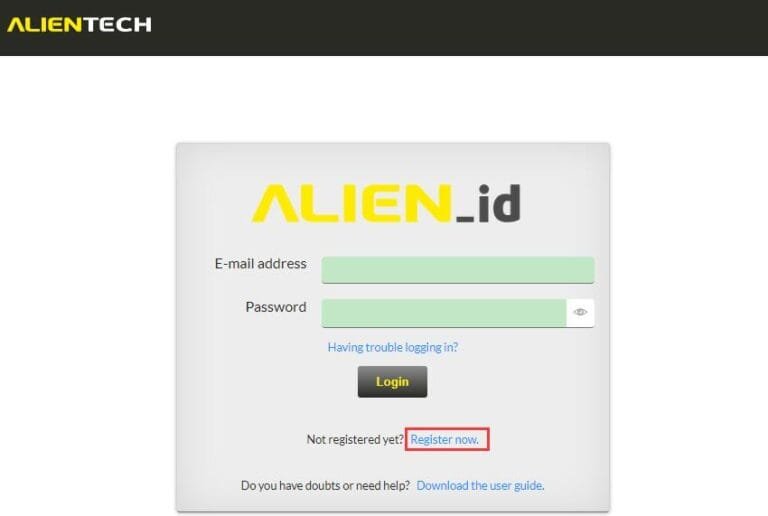
![Enter Your Email And Create A Password](https://remap-uk.com/wp-content/uploads/
2025/02/Register-Now-Alientech-768x516.jpg)

Enter Your Email And Create A Password

**3. Enter your personal info i.e  your full name, the e-mail address you wish to
use, password, hit next to create your [ALIENTECH ID](https://dashboard.alientech.to/home)**
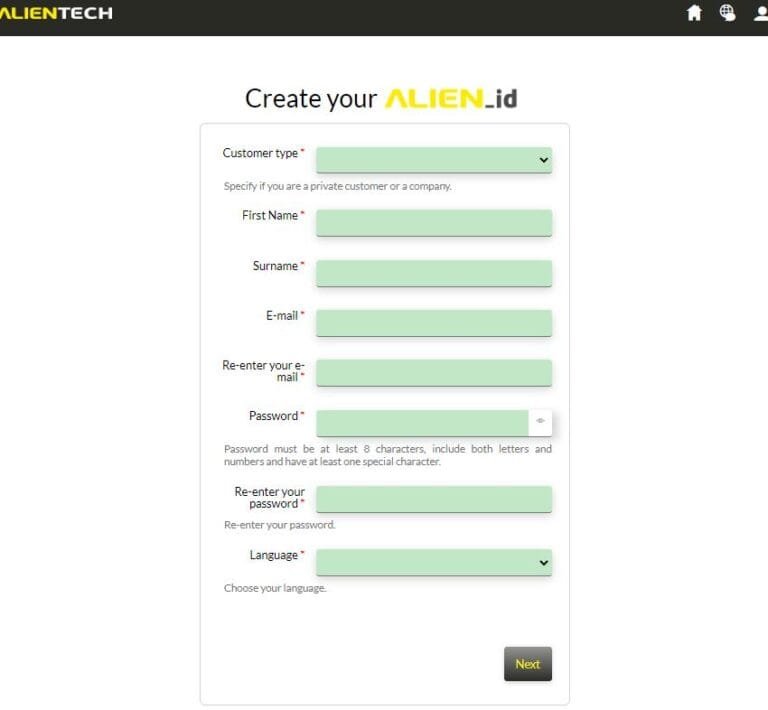
![Fill Out Your Details On Alientech Website](https://remap-uk.com/wp-content/uploads/
2025/02/Alientech-Create-ID-768x710.jpg)

Fill Out Your Details On Alientech Website

**4. Activate your account via email link sent to the one you entered, this confirms
you as a customer.**

**5. From then on you will be presented by your Alientech Login Page like below.
Enter your details to get to your Alientech Dashboard.**
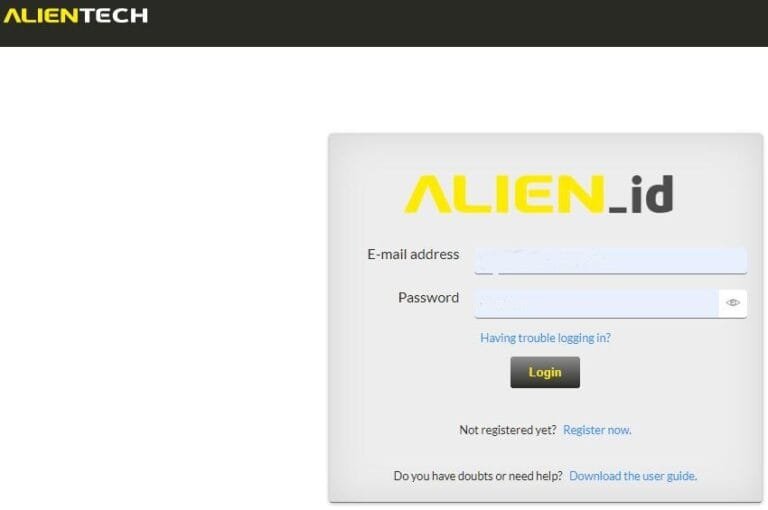
![Now You Can Log Into Your Alientech Account](https://remap-uk.com/wp-content/uploads/
2025/02/Alientech-Login-Page-768x510.jpg)

Now You Can Log Into Your Alientech Account

**6. Next all you need to do is download Alientech Suite and install it on whichever
laptop or computer you are using, you can use more than one at any one time. **
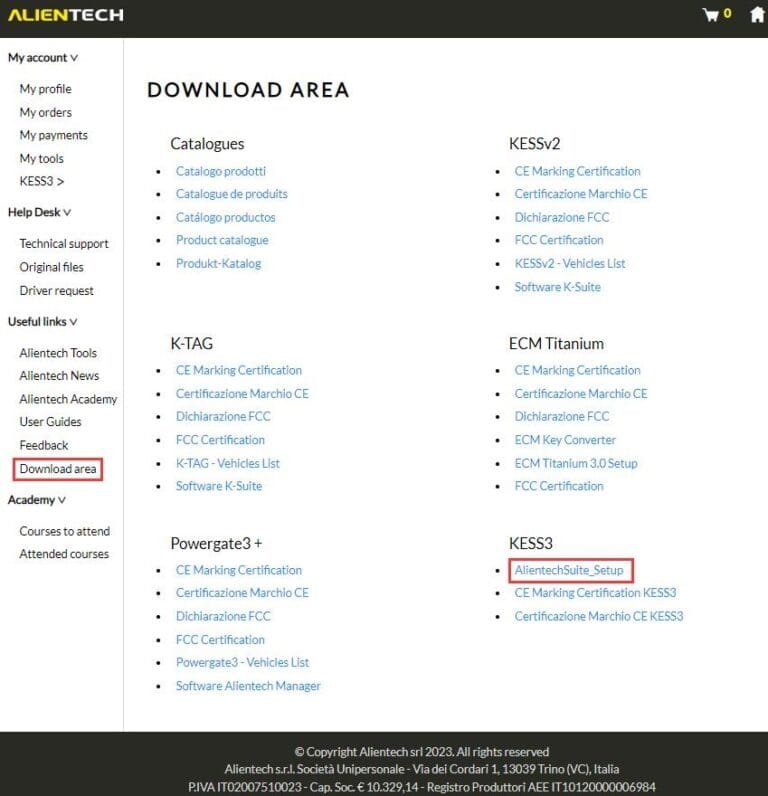
![Now You Can Access Alientech Ksuite As An Official Download](https://remap-uk.
com/wp-content/uploads/2025/02/Alientech-Download-Page-768x796.jpg)

Now You Can Access Alientech Ksuite As An Official Download

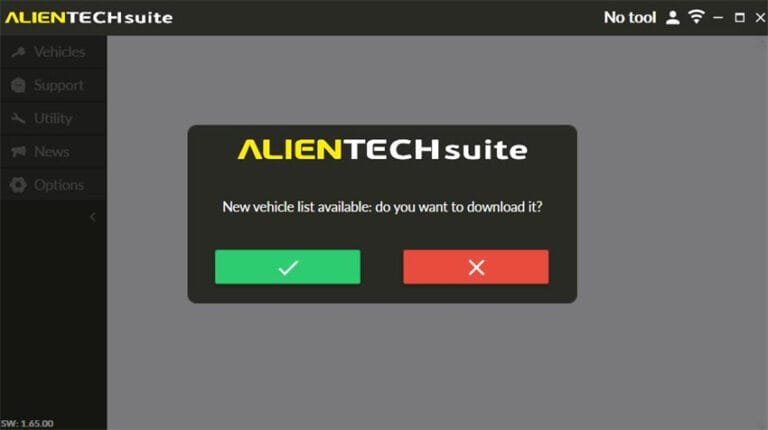
**7. Finally once installed click the link to open up the new Ksuite software. The
software constantly updates, even without subs! So always download the latest version.**
![Install Ksuite On Your Computer, You Can Have It On As Many Computers You See 
Fit](https://remap-uk.com/wp-content/uploads/2025/02/Alientech-Ksuite-New-Software-
Install-768x430.jpg)

Install Ksuite On Your Computer, You Can Have It On As Many Computers You See Fit

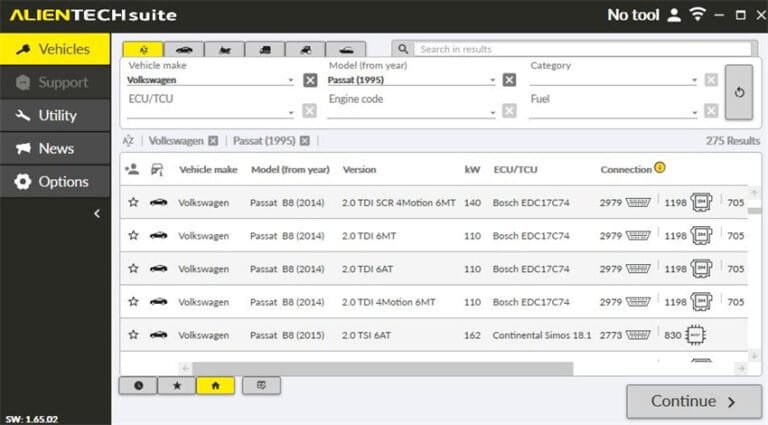
**7A. Note the ‘No Tool’ sign should change to your serial number once your Kess
3 is plugged in via USB, then it’s a simple task to search the vehicle you wish 
to remap | make | Model | Fuel type etc. Also note you need to be on the internet
with your laptop.**
![Plug In Your Kess V3 And Wait For The Tool To Register At The Top Of The Page](
https://remap-uk.com/wp-content/uploads/2025/02/Alientech-Vehicle-Search-Function-
768x425.jpg)

Plug In Your Kess V3 And Wait For The Tool To Register At The Top Of The Page

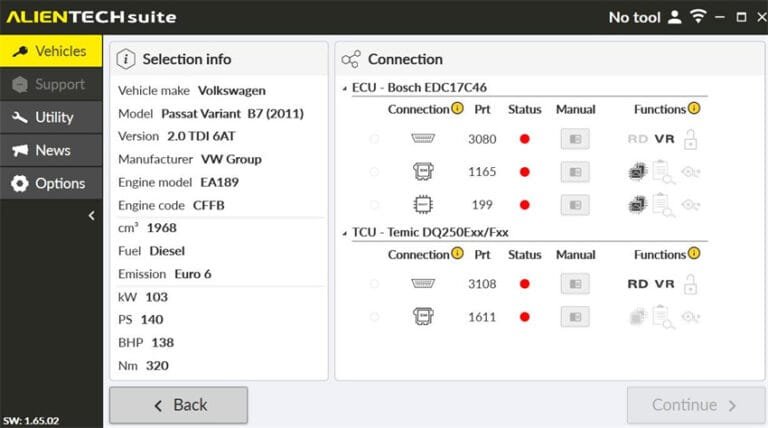
**8. Once you have found your vehicle you wish to remap, then simply choose the 
method you wish to read the ECU with, depending on the options chosen on purchase
of your Kess 3 this can be OBD | Bench | Boot mode. Always read the instructions
given.**
![Once Registered You Can Now Browse The Vehicle Database And Select Which Mode 
To Get An ECU Image](https://remap-uk.com/wp-content/uploads/2025/02/Choose-OBD-
Bench-Boot-768x428.jpg)

Once Registered You Can Now Browse The Vehicle Database And Select Which Mode To
Get An ECU Image
